Designing Human-AI Collaboration to Accelerate Production Workflows
Human-AI Creative Animation System | Autodesk Maya | PlayStation Visual Arts
The Human–AI Creative Animation System transformed experimental AI and computer-vision technology into a production-ready workflow for PlayStation Visual Arts. While the underlying AI could automatically convert motion-capture video into fully rigged animation, the prototype experience kept animators dependent on engineers, limiting adoption and reducing the technology's production value.
As the sole Senior UX Designer, I led the product strategy, Human–AI workflow architecture, and interaction design in close partnership with AI and software engineers, transforming the technology into a collaborative creative assistant that increased adoption by 60% while enabling animators to work more independently.
Product Strategy
Human-AI Workflow Architecture & Orchestration
Software Engineer (2)
AI Software Engineer
Animators
Animation Tech Artists
Autodesk Maya
R&D Senior Manager
Engineering Manager
Senior Software Engineers
Animation Technical Artists
3 Months
Challenge
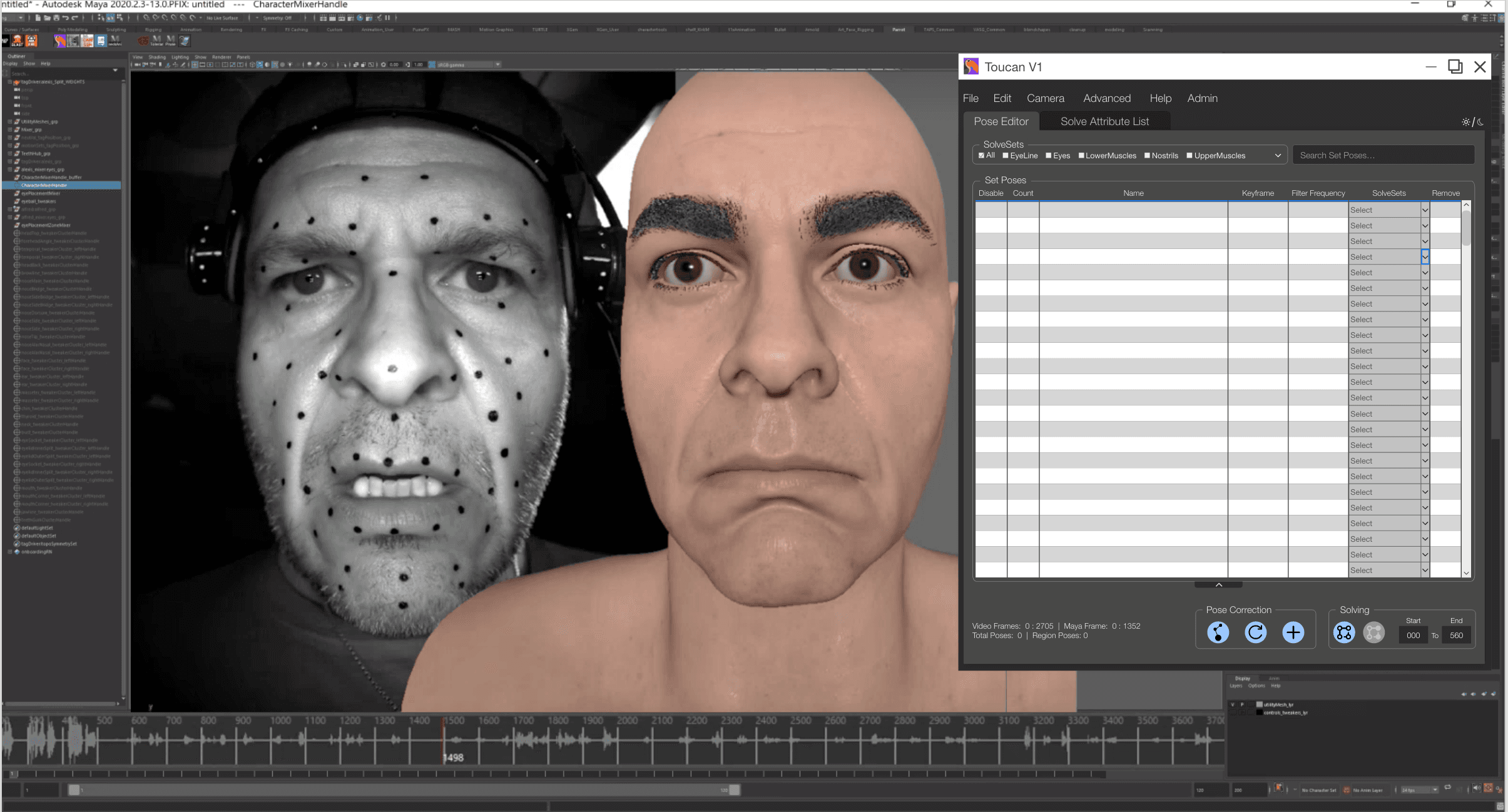
Despite the promise of the underlying AI, the prototype experience failed to support animator workflows. Engineering-centric interactions, dense diagnostic data, and fragmented task flows forced artists to rely on technical support, limiting adoption and slowing production.
Rather than accelerating creativity, the system increased cognitive load and interrupted the animation pipeline.
Business Goals
• Increase adoption by transforming an
engineering prototype into a production-ready animation workflow.
• Enable animators to independently collaborate
with AI inside Maya, reducing reliance on
engineering support.
• Improve production efficiency by aligning AI-generated insights with existing creative workflows.
Impact Metrics below:
Based on comparative usability testing, stakeholder reviews, production reporting, and user satisfaction surveys.
60%
Increased in Adoption
95%
Task Completion Rate
100%
User delight and satisfaction


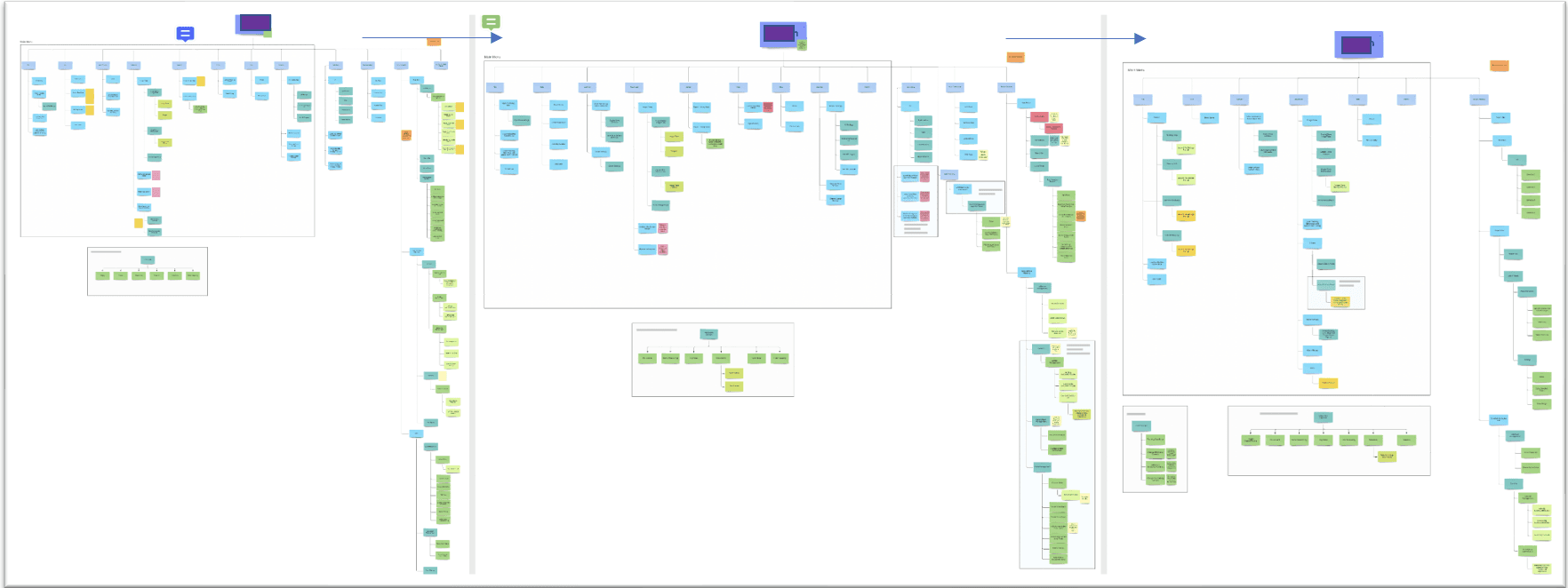
Discovery Insights:
The AI model wasn't the primary barrier to adoption, the workflow was.
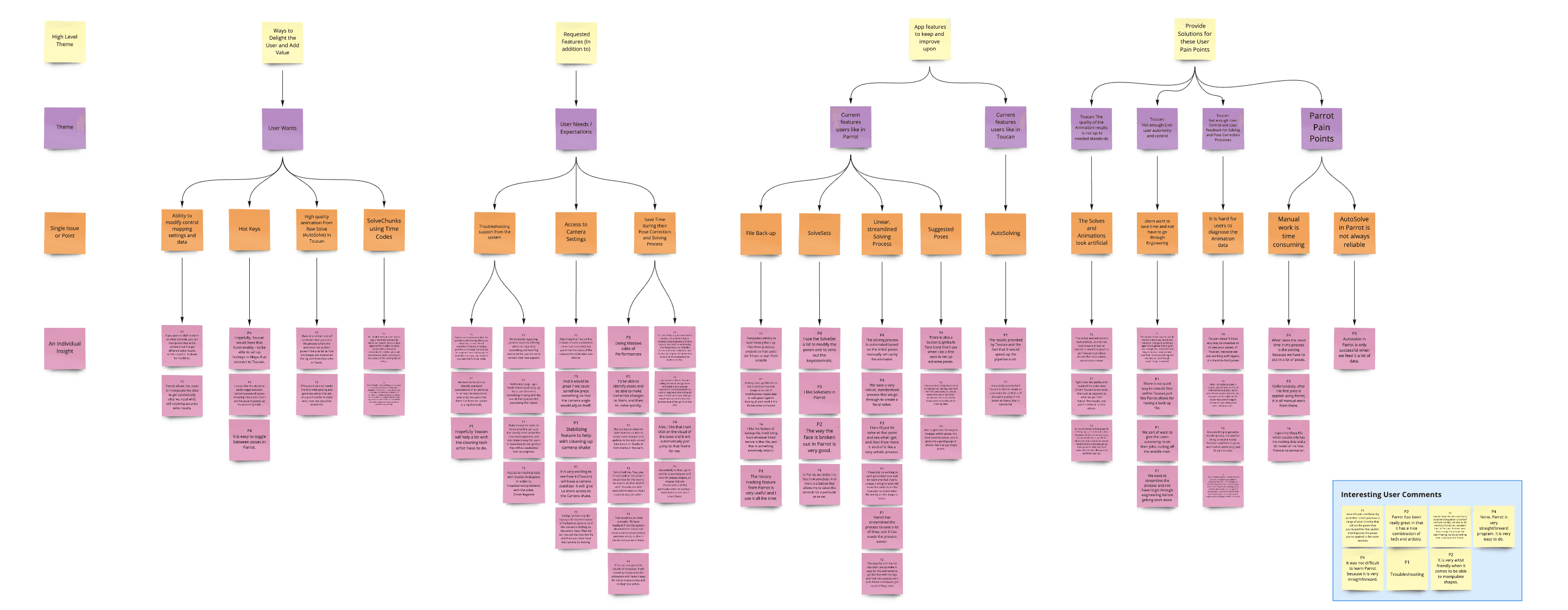
Research with animators, technical artists, and animation supervisors revealed that users struggled to interpret AI-generated outputs within their existing production process. The system exposed raw machine intelligence instead of actionable guidance, forcing artists to translate technical information before they could continue their creative work.
The challenge wasn't improving the AI. It was translating machine intelligence into a workflow animators could immediately understand, trust, and act upon.
Solution Strategy:
Rather than exposing engineering data, the experience was redesigned around how animators naturally think and work inside Maya.
The redesigned workflow:
• Organized AI guidance into sequential creative phases rather than technical system states.
• Surfaced contextual recommendations only when they supported the animator's immediate task.
• Preserved human decision-making while allowing AI to accelerate repetitive analysis and correction.
Strategic Insight:
The greatest opportunity wasn't improving AI, it was designing the collaboration between humans and AI.
Decision Principles
1. Design for Human–AI Collaboration
AI should amplify creative expertise rather than replace it. The experience was designed to support shared decision-making while preserving animator control throughout the production process.
2. Align AI With Human Cognition
Interfaces should reflect how experts think, not how algorithms generate data. Organizing the workflow around correction and refinement reduced cognitive load and made machine intelligence easier to understand and act upon.
3. Build Trust Before Automation
Rather than maximizing automation, the system prioritized transparency, context, and user control, allowing trust to develop naturally before introducing more advanced capabilities.
4. Design for Production Reality
Every interaction respected the realities of professional animation—long production sessions, Maya constraints, and the need for uninterrupted creative flow. Reliability and workflow continuity were prioritized over interface novelty.

Validation & Outcomes
Concepts were iteratively validated through prototyping, usability testing, and production feedback using adoption, task completion, and workflow efficiency as success metrics.
Results:
Increased adoption by 60%.
Improved task completion to 95%.
Achieved 100% user satisfaction by creating a Human–AI workflow that accelerated production without disrupting creative control.
Decision Tradeoffs
What Was Intentionally Simplified:
AI diagnostic data was consolidated into workflow-oriented action zones, reducing cognitive load and presenting only the information relevant to each stage of the animation process. Rather than exposing engineering structures directly, the interface reflected how animators naturally approached correction and refinement.
What Was Postponed:
Advanced predictive automation, including automatic pose approval and deeper correction modeling, was intentionally deferred until users developed sufficient trust in the AI system and production validation demonstrated consistent reliability.
What Was Not Built:
Fully automated animation approval and one-click finalization workflows were deliberately excluded. While technically feasible, removing human oversight risked reducing creative ownership and undermining confidence in AI-assisted production.
Lessons Learned
Leadership Lesson | Human–AI Systems Require Shared Agency:
Advanced AI alone does not create adoption. People embrace intelligent systems when they understand how machine intelligence supports, not replaces, their expertise. Designing for Human–AI collaboration meant balancing automation with creative ownership, proving that the most valuable AI products amplify human judgment rather than automate it away.
“Merilly's vision and dedication to creating an inclusive environment where everyone can feel heard and valued were truly inspiring. I would highly recommend her to any organization seeking a highly motivated and capable team player who is committed to making a difference.”
Jillian Moore
Staff Software Engineer | PlayStation