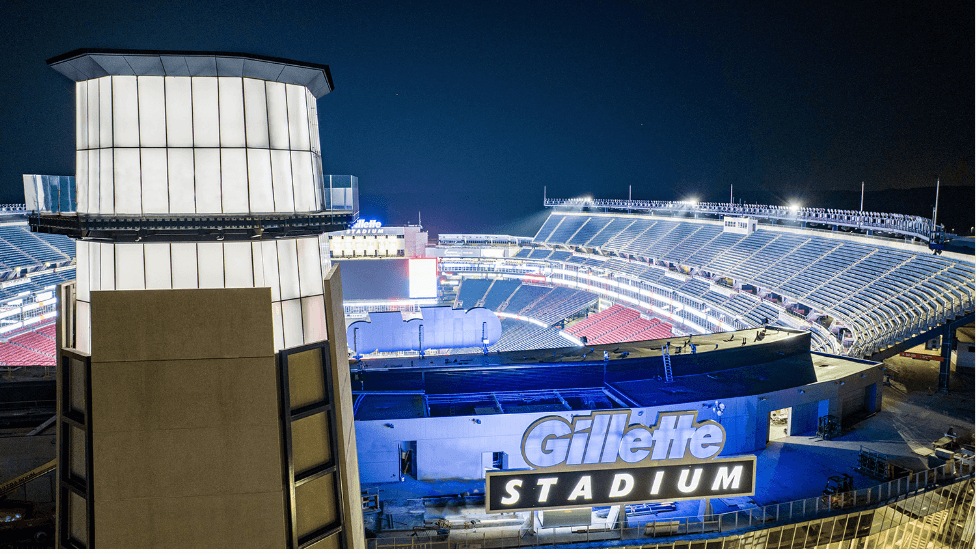
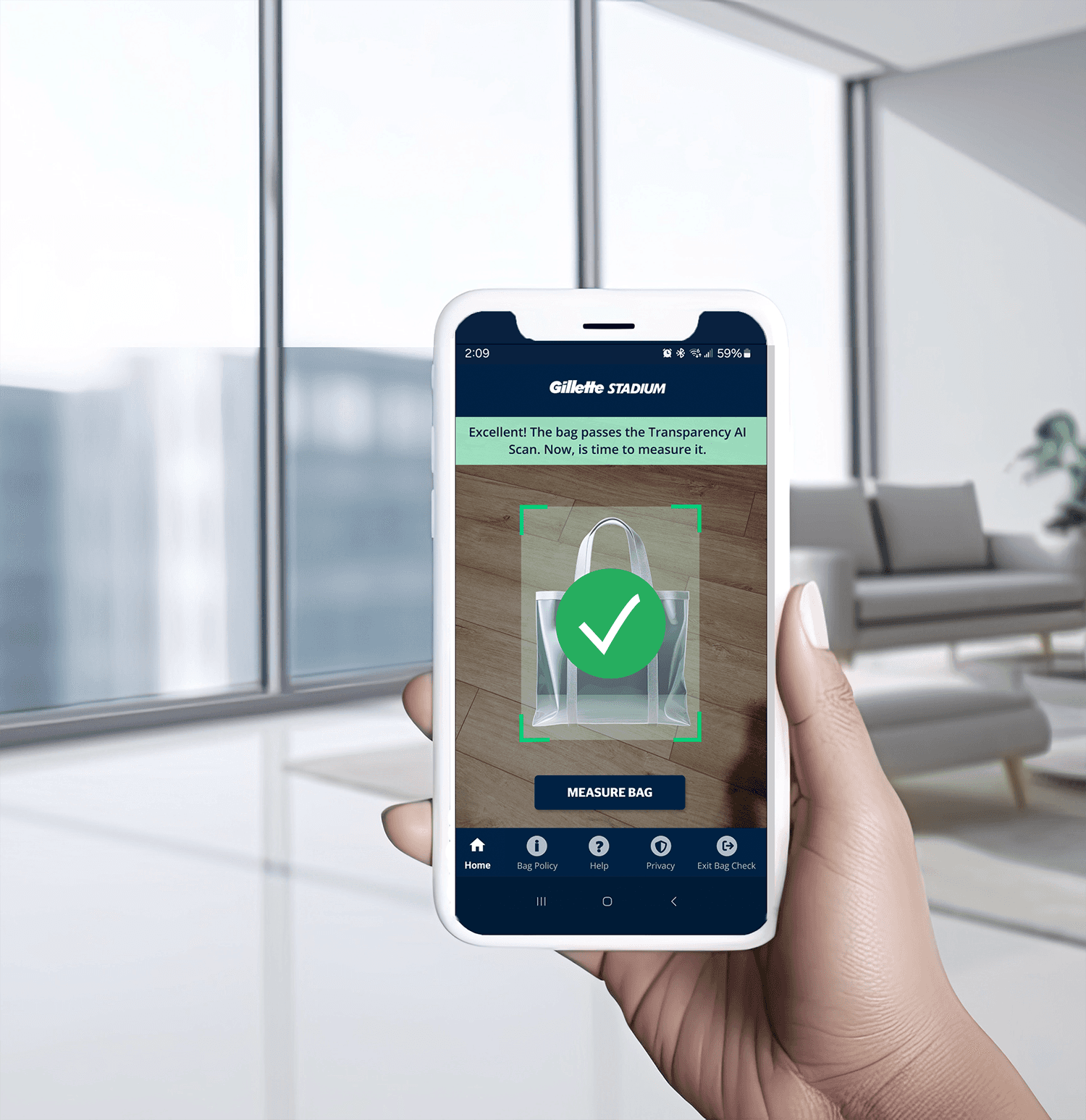
Project Summary: Led the design of an AR-enabled quality inspection tool for Gillette Stadium gate personnel, transforming a slow, physical bag measuring process into an intuitive mobile experience. By combining computer vision with clear interaction patterns, the solution accelerated checkpoint throughput and improved consistency in enforcement while aligning with existing stadium branding and high-traffic event workflows.
My Role: Product & UX Strategy / Experience Architecture (IA) / Interaction & Visual Design / Prototyping & Validation
Owned the end-to-end experience design, balancing operational constraints, branding requirements, and real-world usage conditions in a high-traffic environment.
Native Mobile App
2 Months
Challenge
Gate security processes at high-traffic events created bottlenecks, frustration, and inconsistent enforcement of bag policies. Staff needed a tool that reduced cognitive overhead, standardized decisions, and minimized queue times without disrupting operational flow or adding complexity to peak-volume shifts.
Business Goals
Increase efficiency at entrance checkpoints
Reduce variability in bag inspections and decision outcomes
Increase staff confidence in technology-assisted compliance
Improve guest experience by shortening wait times
Execution Summary
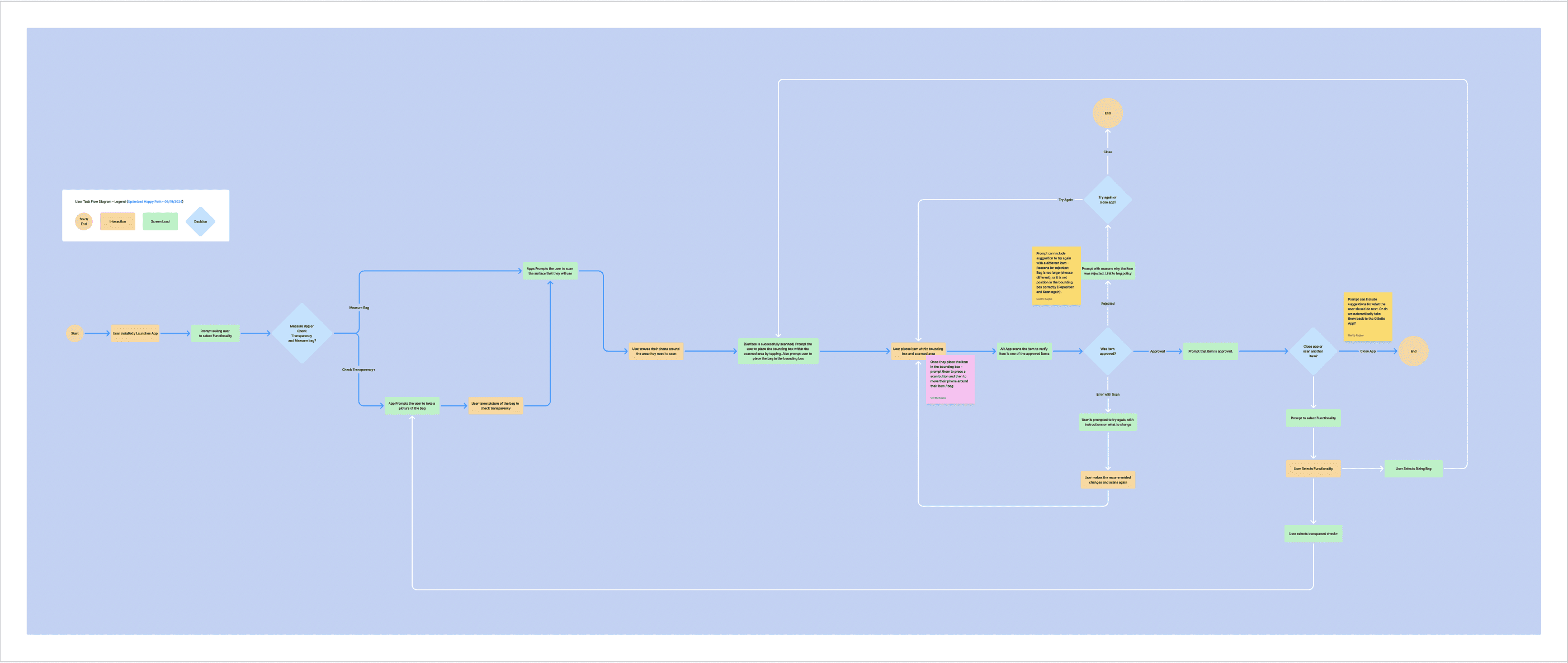
Execution focused on translating a high-pressure, physical security workflow into a fast, reliable mobile experience. Through iterative research, prototyping, and user testing, the design leveraged AR and computer vision to reduce interpretation, surface clear decision cues, and support consistent enforcement during peak event conditions. Design decisions were validated against real operational constraints to ensure usability, trust, and performance in live environments.
Impact Metrics below:
Based on comparative usability testing, stakeholder analytics review, tool reporting, and user satisfaction surveys.
35%
Improved onboarding process
25%
Increase in user retention
84%
Ease of Use
The Project
Strategy Insight:
Rather than simply digitizing the manual process, the experience was designed to reduce cognitive friction for high-stress, time-sensitive checkpoints. Augmented Reality and CV were leveraged not for novelty, but to surface critical measurement cues, reduce user interpretation errors, and embed procedural consistency. This focus balanced automation with user agency, avoiding over-automation that could undermine trust.
Decision Tradeoffs
What Was Intentionally Simplified:
The experience was streamlined to a minimal set of actions and visual cues, prioritizing fast decision-making over detailed configuration or secondary features.
What Was Postponed:
Advanced analytics and performance reporting were deferred until real-world usage data could validate long-term value without distracting from core operational needs.
What Was Not Built:
Highly customizable workflows and role-based interfaces were intentionally excluded to avoid increasing cognitive load and inconsistency during peak-traffic operations.
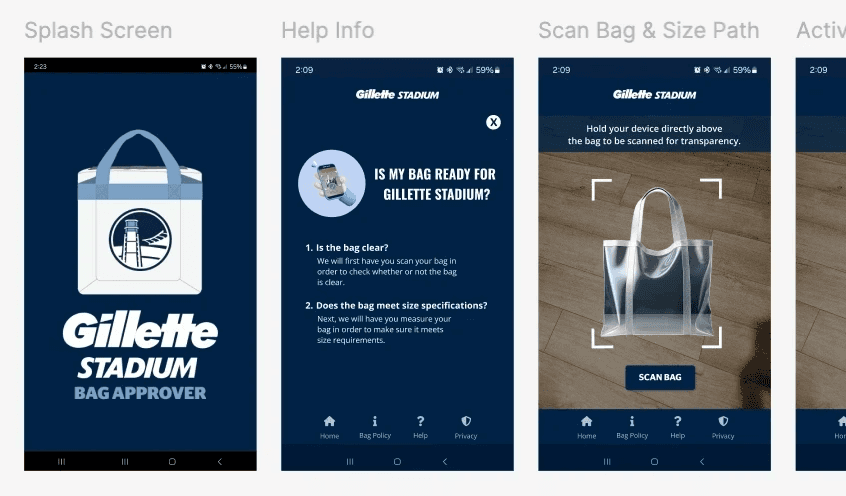
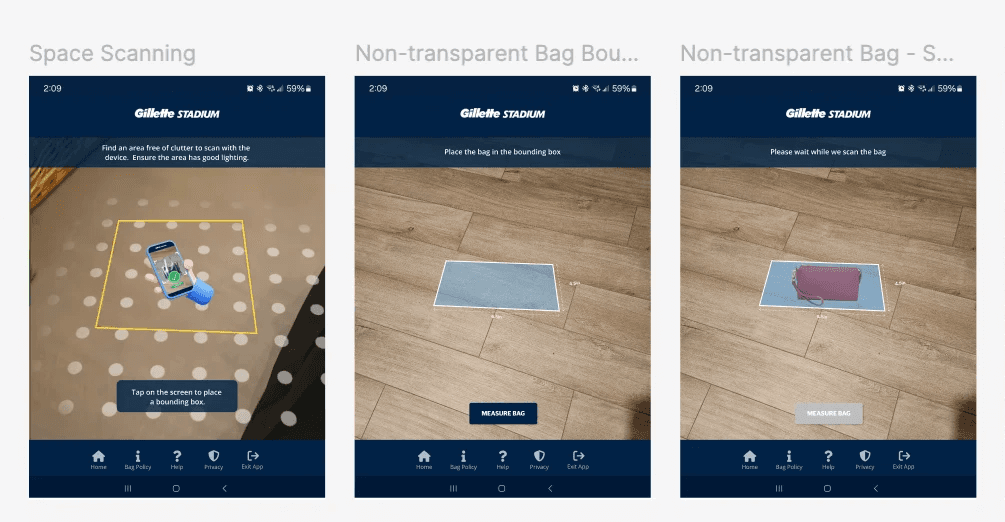





Final Solution:
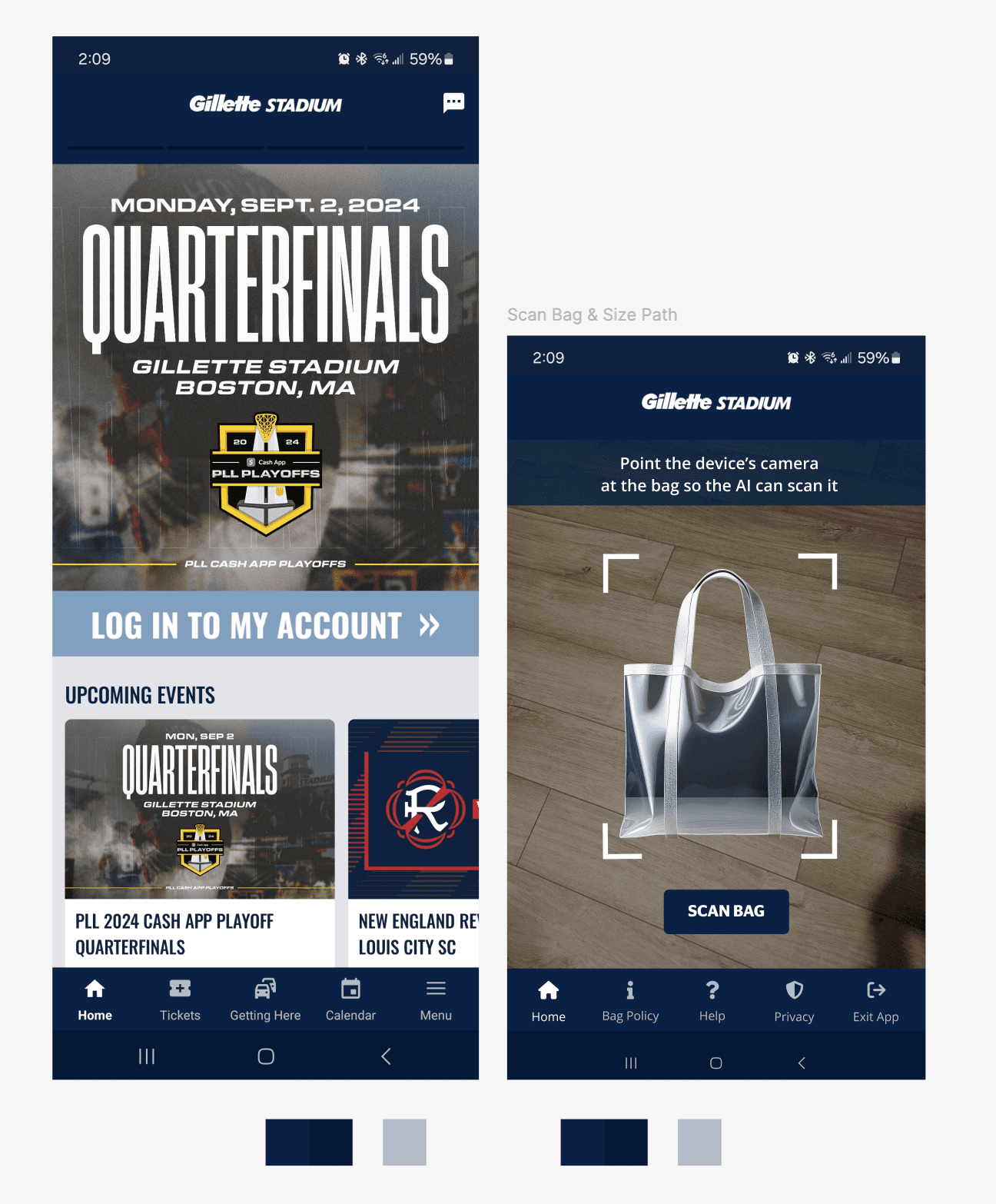
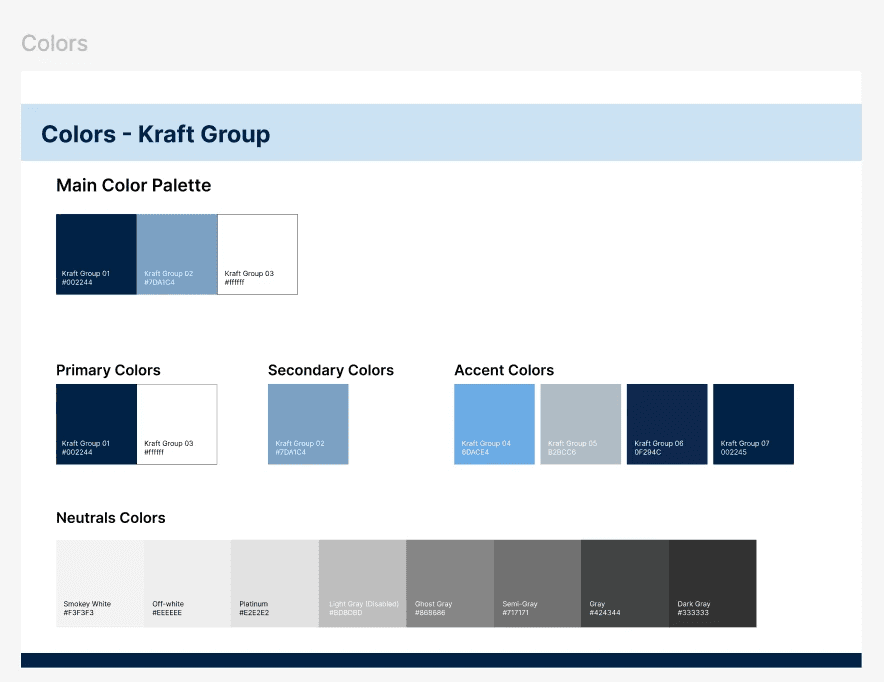
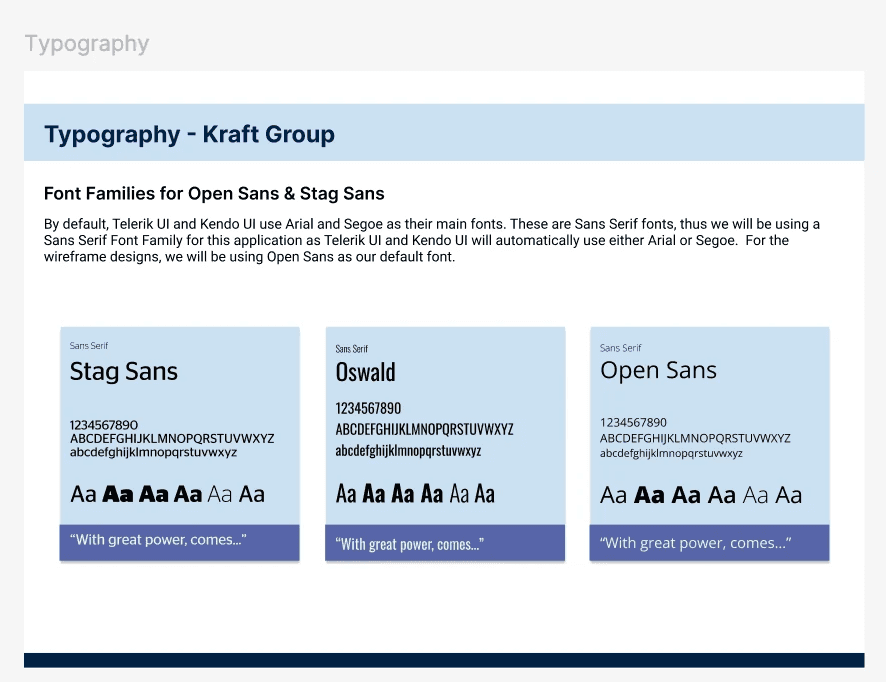
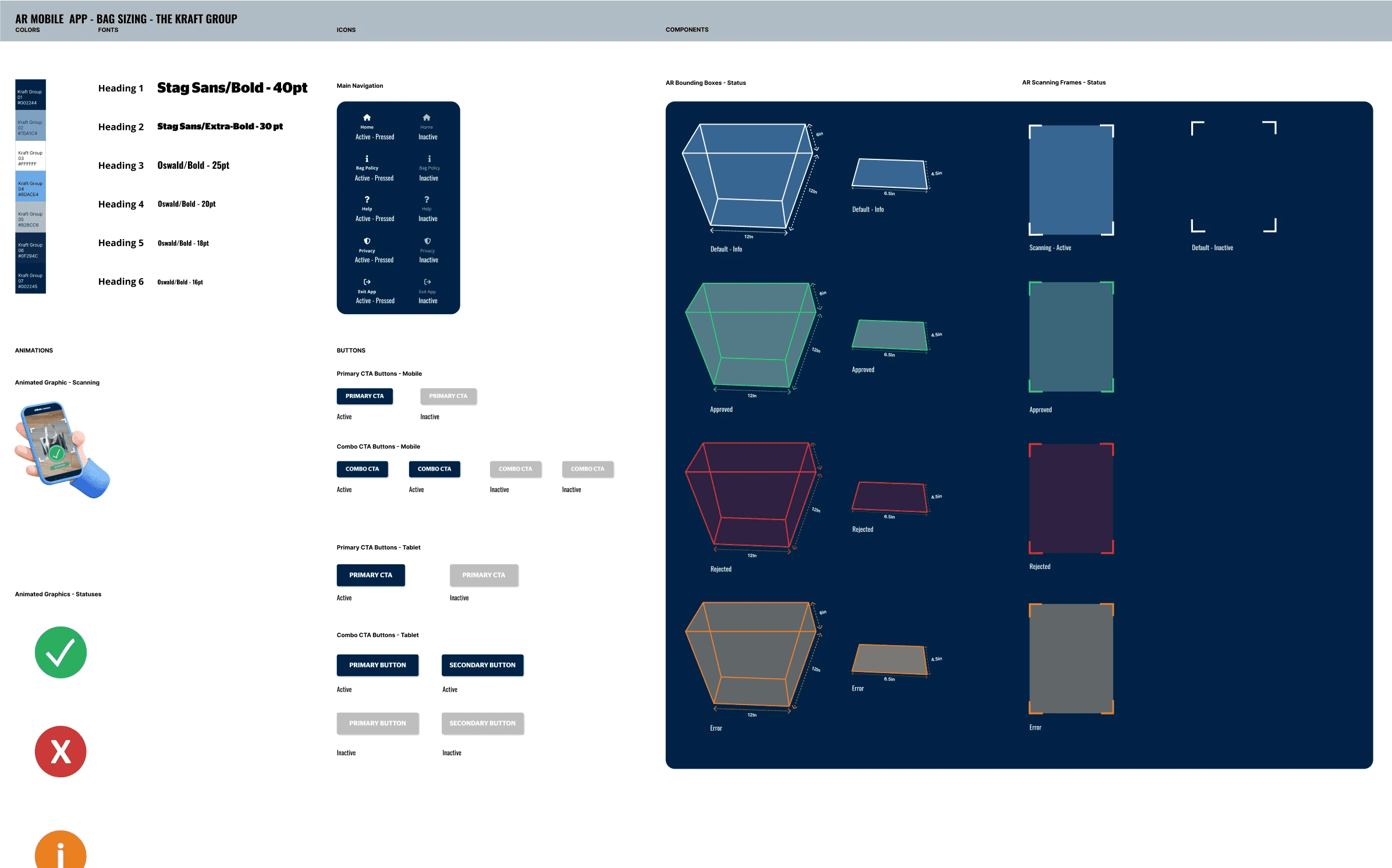
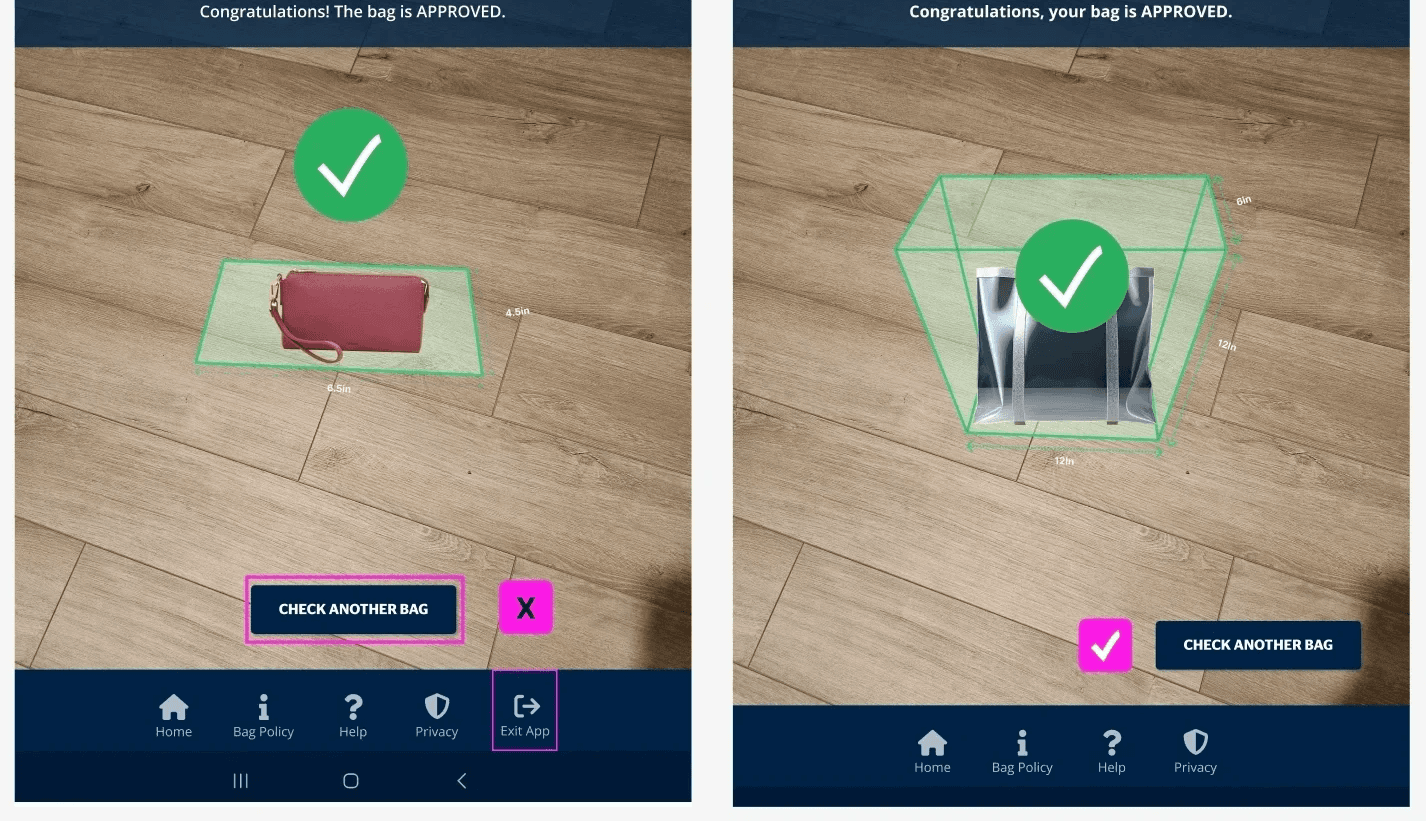
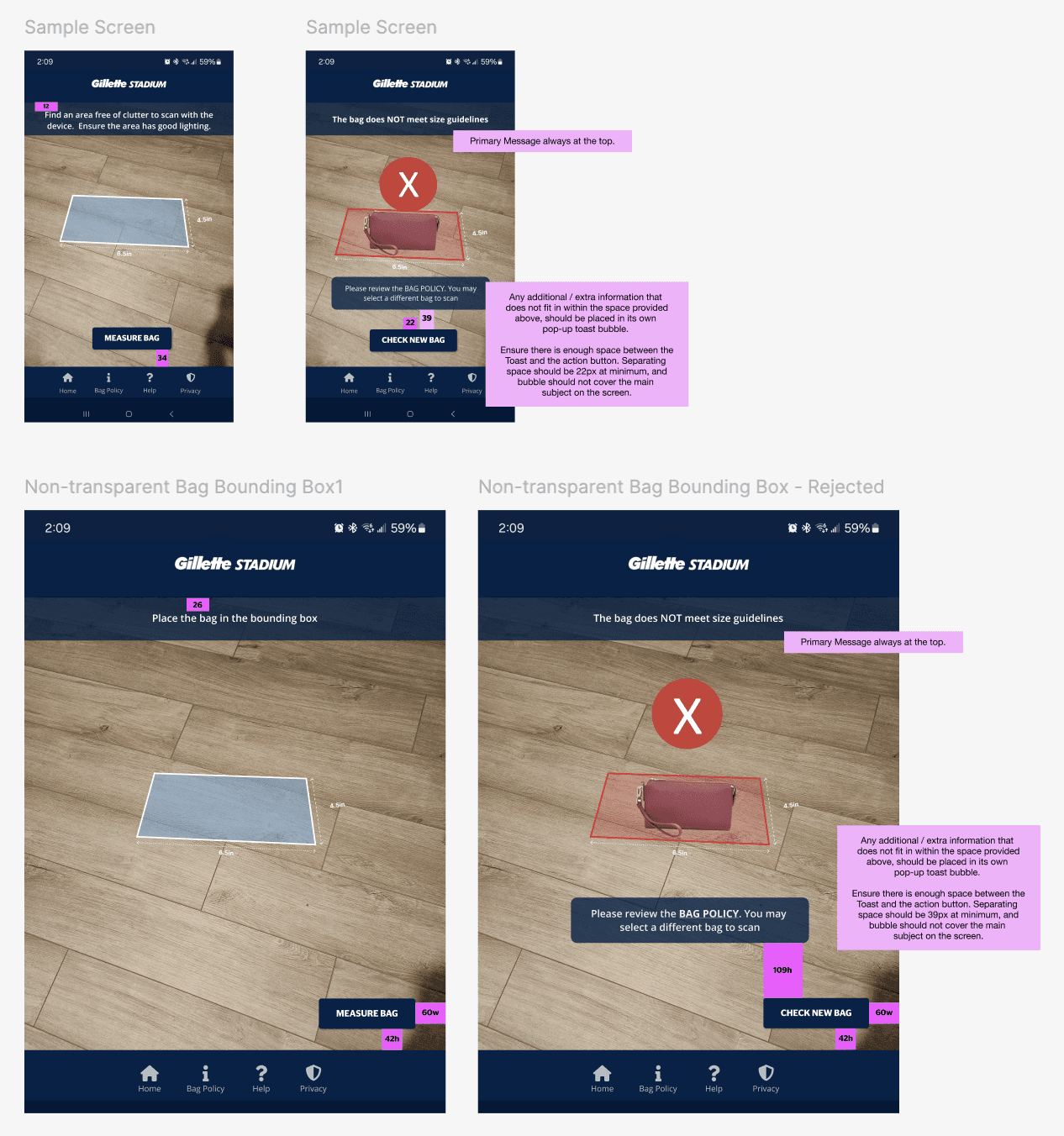
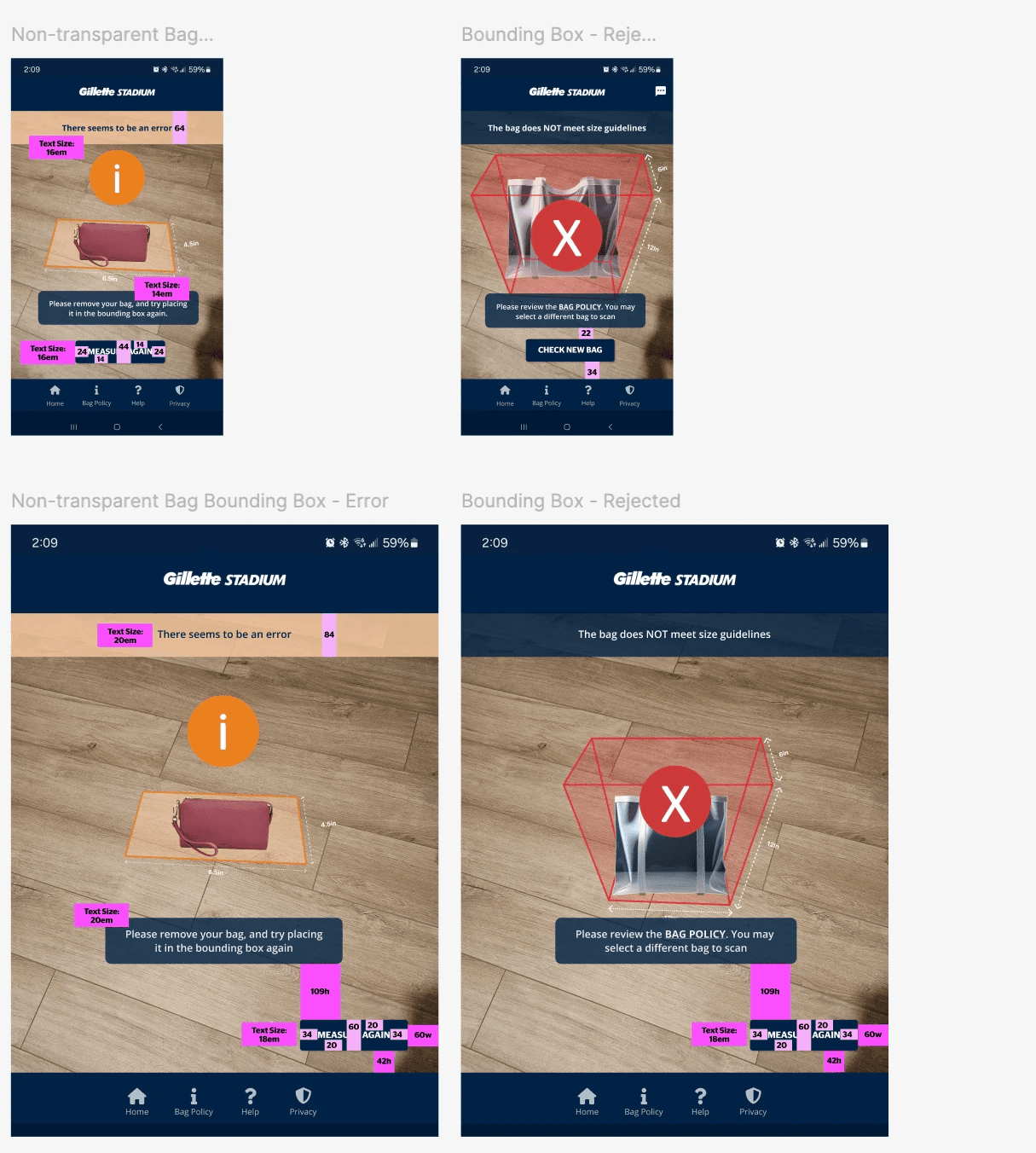
The final solution combined AR, computer vision, and a streamlined mobile interface to support fast, consistent bag inspections at stadium entry points. Designed to match Gillette Stadium’s existing mobile ecosystem, the experience reduced cognitive load, accelerated decision-making, and integrated seamlessly into live event operations.
Lessons Learned
This project reinforced that strong design in operational, high-pressure environments comes down to reducing choice, not adding features. Simplicity must be coupled with context awareness, delivering the right cue, at the right time, with minimal friction. It also helped me refine how to collaborate with development and product teams to balance automated assistance with user trust.
“What really stood out, though, was her ability to quickly onboard mid-project when we needed coverage, seamlessly picking up where another designer left off. That’s no small feat, but they handled it with confidence and efficiency. Beyond her skills, she was a fantastic teammate. Always willing to share knowledge and collaborate to make the work stronger. Any team would be lucky to have her!”
James Williams
Product Design Leader | Sparq